Using Autohotkey
If you're using windows (any version), there's an easy way of automating many routine tasks: the popular tool autohotkey (AHK). Not only is it the quickest way of automating simple windows tasks, it also lets you record or write macros and is much, much more powerful than a batch-file.
Using dlvr.it
Thought you need a bulky application like hootsuite or tweetdeck to achieve decent reach for your feeds and posts? Think again. With dlvr.it you can set up multiple "route" from RSS-source to FB, TW, or tumblr-target. Did I mention it's free?

Wordpress vs. Drupal
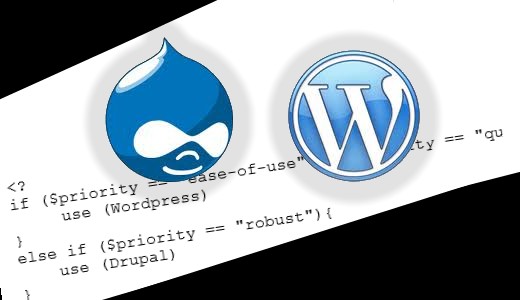
By many considered the nr. 1 and nr. 2 content management / blogging systems, there are a few stubborn preconceptions we have to do away with. Here are two extremely active open source communities that both produce great software products. I'll explain what to use in which situation.

Tuesday, October 20, 2015
 10:13 AM
 Kamiel Choi


Wednesday, October 14, 2015
Light background (the best way)
When creating a fixed background image there are a few things to consider:
- browser compatibility. Does that z-index work everywhere?
- image size. Does this load fast enough on a 3G connection?
- ease of change. What happens when the theme updates?
I found that the easiest way is to set the background-image property via the add-on CSS. That way it is “in between” the theme layer and the individual page. Adding an <IMG> is also possible straight from the content but it gives you z-index headaches. The content elements just don’t seem to go in front of the image element.
So on creativechoice.org I just added this 12k file stretched as the background of site-content:
.site-content { background-image: url("http://creativechoice.org/wp-content/uploads/2015/10/bkg.jpg"); background-size: contain; } I hard-coded the opacity in the file. If you need more flexibility you could consider using the IMG-tag, however that might mean restructuring your HTML-structure to have all navigation elements (links) placed on top of it.
Monday, May 18, 2015
LESS in 5 minutes
LESS is a handy precompiler for CSS, but as it develops it becomes so complex we start assuming that we need a tutorial or long read in order to understand it. I think it’s worthwhile to use just a few very basic capabilities of LESS (leaner CSS) and that you can learn how to use them in 5 minutes.
First, on Windows you can use http://winless.org/
If you use WordPress, install Jetpack which comes with an extra CSS option allowing LESS (or use another plugin that has integrated the PHP LESS-compiler).
No sweat so far.
Take an old CSS file and replace color codes with variables like so:
  body {
  color : 77da34;
  }
becomes
  @green : 77da34;
  body {
  color : @green;
  }
Variables are the first thing we absolutely NEED if we want to write leaner CSS. The next is mixins:
Instead of
opacity : .75;
you write
  .opacity (@opacity: 0.5) {
  -webkit-opacity: @opacity;
  -moz-opacity: @opacity;
  opacity: @opacity;
  }
  .element {
  .opacity (.75);
  }
Et voilà. This is very handy for browser compatibility and with Media Queries.
Let’s offer some flesh. Here is a file of predefined mixins I found on the net and frequently use: more.less. Feel free to use.
More.less
  /* http://designshack.net/articles/css/10-less-css-examples-you-should-steal-for-your-projects/
  */
@base: 663333;
@complement1: spin(@base, 180);
@complement2: darken(spin(@base, 180), 5%);
@lighten1: lighten(@base, 15%);
@lighten2: lighten(@base, 30%);
@lighter1: lighten(spin(@base, 5), 10%);
@lighter2: lighten(spin(@base, 10), 20%);
@darker1: darken(spin(@base, -5), 10%);
@darker2: darken(spin(@base, -10), 20%);
.opacity (@opacity: 0.5) {
-webkit-opacity: @opacity;
-moz-opacity: @opacity;
opacity: @opacity;
}
.border-radius (@radius: 5px) {
-webkit-border-radius: @radius;
-moz-border-radius: @radius;
border-radius: @radius;
}
.box-shadow (@string: 2px 2px 4px rgb(0,0,0,0.5)) {
-webkit-box-shadow: @string;
-moz-box-shadow: @string;
box-shadow: @string;
}
.drop-shadow (@x: 0, @y: 1px, @blur: 2px, @spread: 0, @alpha: 0.25) {
-webkit-box-shadow: @x @y @blur @spread rgba(0, 0, 0, @alpha);
-moz-box-shadow: @x @y @blur @spread rgba(0, 0, 0, @alpha);
box-shadow: @x @y @blur @spread rgba(0, 0, 0, @alpha);
}
.inner-shadow (@x: 0, @y: 1px, @blur: 2px, @spread: 0, @alpha: 0.25) {
-webkit-box-shadow: inset @x @y @blur @spread rgba(0, 0, 0, @alpha);
-moz-box-shadow: inset @x @y @blur @spread rgba(0, 0, 0, @alpha);
box-shadow: inset @x @y @blur @spread rgba(0, 0, 0, @alpha);
}
.transition (@prop: all, @time: 1s, @ease: linear) {
-webkit-transition: @prop @time @ease;
-moz-transition: @prop @time @ease;
-o-transition: @prop @time @ease;
-ms-transition: @prop @time @ease;
transition: @prop @time @ease;
}
.transitions (@transitions) {
-webkit-transition: @transitions;
-moz-transition: @transitions;
-o-transition: @transitions;
-ms-transition: @transitions;
transition: @transitions;
}
.animation (@name, @duration: 300ms, @delay: 0, @ease: ease) {
-webkit-animation: @name @duration @delay @ease;
-moz-animation: @name @duration @delay @ease;
-ms-animation: @name @duration @delay @ease;
}
.transform (@rotate: 90deg, @scale: 1, @skew: 1deg, @translate: 10px) {
-webkit-transform: rotate(@rotate) scale(@scale) skew(@skew) translate(@translate);
-moz-transform: rotate(@rotate) scale(@scale) skew(@skew) translate(@translate);
-o-transform: rotate(@rotate) scale(@scale) skew(@skew) translate(@translate);
-ms-transform: rotate(@rotate) scale(@scale) skew(@skew) translate(@translate);
transform: rotate(@rotate) scale(@scale) skew(@skew) translate(@translate);
}
.gradient (@origin: left, @start: ffffff, @stop: 000000) {
background-color: @start;
background-image: -webkit-linear-gradient(@origin, @start, @stop);
background-image: -moz-linear-gradient(@origin, @start, @stop);
background-image: -o-linear-gradient(@origin, @start, @stop);
background-image: -ms-linear-gradient(@origin, @start, @stop);
background-image: linear-gradient(@origin, @start, @stop);
}
.quick-gradient (@origin: left, @alpha: 0.2) {
background-image: -webkit-linear-gradient(@origin, rgba(0,0,0,0.0), rgba(0,0,0,@alpha));
background-image: -moz-linear-gradient(@origin, rgba(0,0,0,0.0), rgba(0,0,0,@alpha));
background-image: -o-linear-gradient(@origin, rgba(0,0,0,0.0), rgba(0,0,0,@alpha));
background-image: -ms-linear-gradient(@origin, rgba(0,0,0,0.0), rgba(0,0,0,@alpha));
background-image: linear-gradient(@origin, rgba(0,0,0,0.0), rgba(0,0,0,@alpha));
}
.reflect (@length: 50%, @opacity: 0.2){
-webkit-box-reflect: below 0px -webkit-gradient(linear, left top, left bottom, from(transparent), color-stop(@length, transparent), to(rgba(255,255,255,@opacity)));
}
.scale (@factor) {
-webkit-transform: scale(@factor);
-moz-transform: scale(@factor);
-ms-transform: scale(@factor);
-o-transform: scale(@factor);
}
.rotate (@deg) {
-webkit-transform: rotate(@deg);
-moz-transform: rotate(@deg);
-ms-transform: rotate(@deg);
-o-transform: rotate(@deg);
}
.skew (@deg, @deg2) {
-webkit-transform: skew(@deg, @deg2);
-moz-transform: skew(@deg, @deg2);
-ms-transform: skew(@deg, @deg2);
-o-transform: skew(@deg, @deg2);
}
.translate (@x, @y:0) {
-webkit-transform: translate(@x, @y);
-moz-transform: translate(@x, @y);
-ms-transform: translate(@x, @y);
-o-transform: translate(@x, @y);
}
.translate3d (@x, @y: 0, @z: 0) {
-webkit-transform: translate3d(@x, @y, @z);
-moz-transform: translate3d(@x, @y, @z);
-ms-transform: translate3d(@x, @y, @z);
-o-transform: translate3d(@x, @y, @z);
}
.perspective (@value: 1000) {
-webkit-perspective: @value;
-moz-perspective: @value;
-ms-perspective: @value;
perspective: @value;
}
.transform-origin (@x:center, @y:center) {
-webkit-transform-origin: @x @y;
-moz-transform-origin: @x @y;
-ms-transform-origin: @x @y;
-o-transform-origin: @x @y;
}
@grunge : url(data:image/png;base64,iVBORw0KGgoAAAANSUhEUgAAADIAAAAyCAMAAAAp4XiDAAAAUVBMVEWFhYWDg4N3d3dtbW17e3t1dXWBgYGHh4d5eXlzc3OLi4ubm5uVlZWPj4+NjY19fX2JiYl/f39ra2uRkZGZmZlpaWmXl5dvb29xcXGTk5NnZ2c8TV1mAAAAG3RSTlNAQEBAQEBAQEBAQEBAQEBAQEBAQEBAQEBAQEAvEOwtAAAFVklEQVR4XpWWB67c2BUFb3g557T/hRo9/WUMZHlgr4Bg8Z4qQgQJlHI4A8SzFVrapvmTF9O7dmYRFZ60YiBhJRCgh1FYhiLAmdvX0CzTOpNE77ME0Zty/nWWzchDtiqrmQDeuv3powQ5ta2eN0FY0InkqDD73lT9c9lEzwUNqgFHs9VQce3TVClFCQrSTfOiYkVJQBmpbq2L6iZavPnAPcoU0dSw0SUTqz/GtrGuXfbyyBniKykOWQWGqwwMA7QiYAxi+IlPdqo+hYHnUt5ZPfnsHJyNiDtnpJyayNBkF6cWoYGAMY92U2hXHF/C1M8uP/ZtYdiuj26UdAdQQSXQErwSOMzt/XWRWAz5GuSBIkwG1H3FabJ2OsUOUhGC6tK4EMtJO0ttC6IBD3kM0ve0tJwMdSfjZo+EEISaeTr9P3wYrGjXqyC1krcKdhMpxEnt5JetoulscpyzhXN5FRpuPHvbeQaKxFAEB6EN+cYN6xD7RYGpXpNndMmZgM5Dcs3YSNFDHUo2LGfZuukSWyUYirJAdYbF3MfqEKmjM+I2EfhA94iG3L7uKrR+GdWD73ydlIB+6hgref1QTlmgmbM3/LeX5GI1Ux1RWpgxpLuZ2+I+IjzZ8wqE4nilvQdkUdfhzI5QDWy+kw5Wgg2pGpeEVeCCA7b85BO3F9DzxB3cdqvBzWcmzbyMiqhzuYqtHRVG2y4x+KOlnyqla8AoWWpuBoYRxzXrfKuILl6SfiWCbjxoZJUaCBj1CjH7GIaDbc9kqBY3W/Rgjda1iqQcOJu2WW+76pZC9QG7M00dffe9hNnseupFL53r8F7YHSwJWUKP2q+k7RdsxyOB11n0xtOvnW4irMMFNV4H0uqwS5ExsmP9AxbDTc9JwgneAT5vTiUSm1E7BSflSt3bfa1tv8Di3R8n3Af7MNWzs49hmauE2wP+ttrq+AsWpFG2awvsuOqbipWHgtuvuaAE+A1Z/7gC9hesnr+7wqCwG8c5yAg3AL1fm8T9AZtp/bbJGwl1pNrE7RuOX7PeMRUERVaPpEs+yqeoSmuOlokqw49pgomjLeh7icHNlG19yjs6XXOMedYm5xH2YxpV2tc0Ro2jJfxC50ApuxGob7lMsxfTbeUv07TyYxpeLucEH1gNd4IKH2LAg5TdVhlCafZvpskfncCfx8pOhJzd76bJWeYFnFciwcYfubRc12Ip/ppIhA1/mSZ/RxjFDrJC5xifFjJpY2Xl5zXdguFqYyTR1zSp1Y9p+tktDYYSNflcxI0iyO4TPBdlRcpeqjK/piF5bklq77VSEaA+z8qmJTFzIWiitbnzR794USKBUaT0NTEsVjZqLaFVqJoPN9ODG70IPbfBHKK+/q/AWR0tJzYHRULOa4MP+W/HfGadZUbfw177G7j/OGbIs8TahLyynl4X4RinF793Oz+BU0saXtUHrVBFT/DnA3ctNPoGbs4hRIjTok8i+algT1lTHi4SxFvONKNrgQFAq2/gFnWMXgwffgYMJpiKYkmW3tTg3ZQ9Jq+f8XN+A5eeUKHWvJWJ2sgJ1Sop+wwhqFVijqWaJhwtD8MNlSBeWNNWTa5Z5kPZw5+LbVT99wqTdx29lMUH4OIG/D86ruKEauBjvH5xy6um/Sfj7ei6UUVk4AIl3MyD4MSSTOFgSwsH/QJWaQ5as7ZcmgBZkzjjU1UrQ74ci1gWBCSGHtuV1H2mhSnO3Wp/3fEV5a+4wz//6qy8JxjZsmxxy5+4w9CDNJY09T072iKG0EnOS0arEYgXqYnX! cYHwjTtU NAcMelOd4xpkoqiTYICWFq0JSiPfPDQdnt+4/wuqcXY47QILbgAAAABJRU5ErkJggg==);
Monday, May 11, 2015
Copying formula's in LibreOffice Writer
Here’s another little annoyance solved: I used LibreOffice to make simple invoices and use the nice calc function to calculate the items in my invoice. However. LO didn’t allow to copy formula’s – or so I thought. I found this after some searching and thought I’d share it with you.
It is possible, as explained in the excellent libreoffice forum.
Tuesday, April 28, 2015
Sorting dates with PHP
This should have been much faster, so I’m sharing this. PHP (<5.2) creates and compares dates out of the box with the dateTime class.
This is my use case. I had saved some dates as strings in the database, using the jQuery datepicker. I had to convert them back to dateTime-objects to compare two dates. The proper way to do this is to turn them into objects either by using date_create() or new dateTime(). Note that if you use a string that can’t be recognized, the constructer returns false, and your subsequent comparison functions screams at the boolean.
Here’s that comparison function, and the usort-statement that uses it to sort an array of objects by date:
function cmp($a, $b)
  {
  $datetime1 = date_create($a->meta_value);
  $datetime2 = date_create($b->meta_value);
  if ($datetime1 && $datetime2) {
  $i = date_diff($datetime1, $datetime2);
  }
  return ($i->invert);  /* boolean: negative when the date diff is negative */
  }
  usort($comments, "cmp");
Of course in some perfect universe we’d like all this object creation and type casting done automatically with a special operator ensuring MCC in programming (minimal character count), so that we can write something like:
date1 d= 'now';
  date2 d= '20 April 2030';
  days2go = date1 - date2;
(Actually, this should be possible already. Anyone has implemented this?)
Monday, April 27, 2015
WP_less
I’m a heavy user of LESS and I rejoiced when I learned that some geeks plugged in the LESS PHP-compiler into WordPress – and it works out of the box! I didn’t experience any issues with syntax (although you sound be careful as there are little difference between the LESS compilers) and the LESS files in my child theme were automatically compiled.
Just go to https://wordpress.org/plugins/wp-less/ and get the integrated LESS compiler.
Enqueue your LESS stylesheet like you would normally enqueue your .CSS. (you can change back to minified .CSS on a production environment, but with fast cashing, there’s not even a need for that. Here’s how I enqueue mine:
if (class_exists('WPLessPlugin'))
  wp_register_style( 'custom', get_stylesheet_directory_uri()."/css/custom.less" );
  else {
  wp_register_style( 'custom', get_stylesheet_directory_uri()."/css/custom{$min}.css" );
  }
Note that I check if the plugin exists, and if it doesn’t I just include my precompiled css. Then I list it with the recommended plugins. This is best practice.
More LESS
LESS is a breeze. It allows me to write such clean, reusable and responsive CSS that it is the nr. 1 tool hands down that speeds up my (child) theme development. Actually, when you look at all the commercial themes offering “super sliders, portfolio pages, full responsive blahblah” the only thing that really distinguishes them is their styling – and that is something we can do very, very efficiently.
I borrow mixins from all over the web and will share my (aptly?) named file <pre>more.less</pre> here soon, so check back in a few days!.


